
How to Generate Dating Photos With AI (2026 Step-by-Step)
A photographer's step-by-step guide to generating dating photos with AI in 2026. Reference shots, style picks, and the review that keeps them real.
Generating dating photos with AI is really a photography problem dressed up as a software problem. The short version: shoot 8 to 15 reference photos under varied light and angles, pick a tool that fits your situation, generate 60 to 200 candidates, then audit each one for hand glitches and off-likeness before it ever hits a profile.
That's the whole loop. The rest of this page is the version I walk my portrait clients through when they ask, with the numbers and the review process that stop you from uploading something that doesn't look like you.
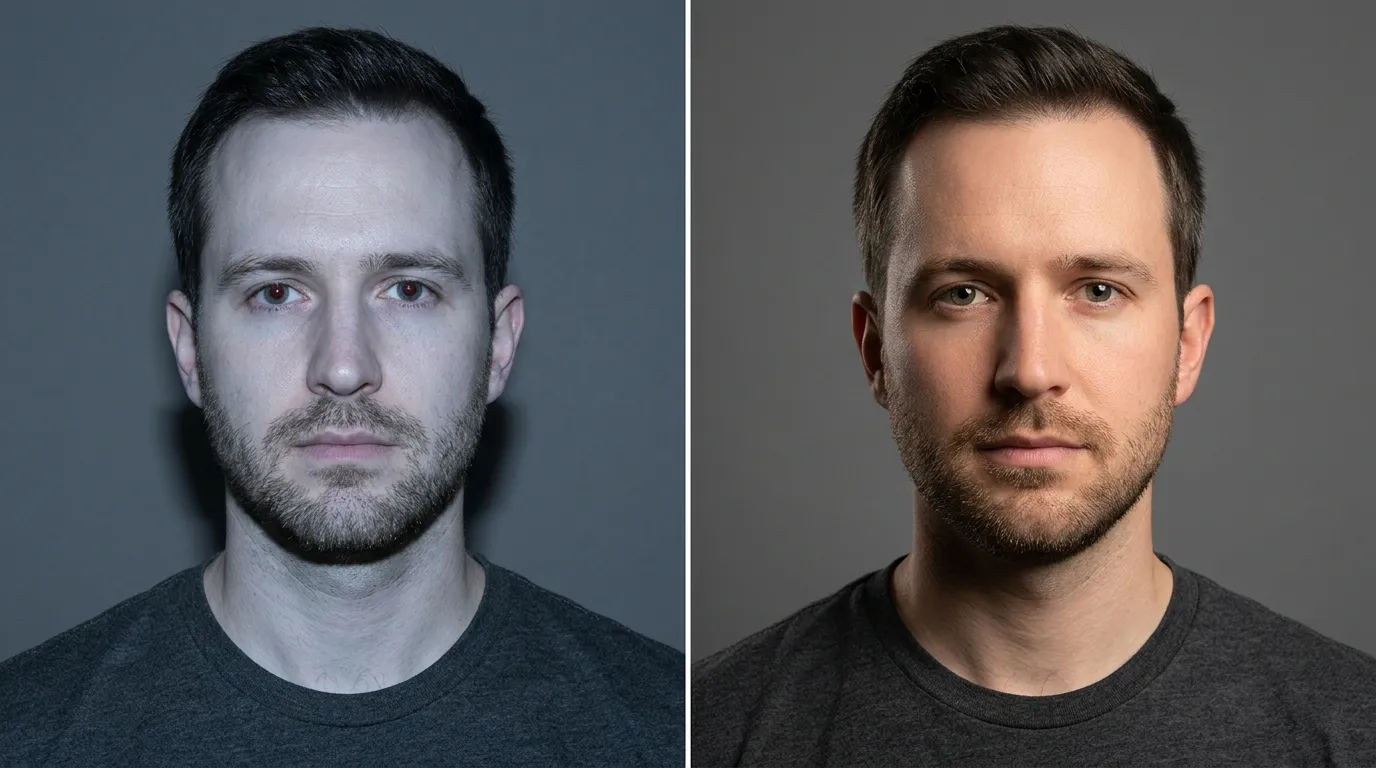
 Before
 After
AfterStudio / Private by design
See yourself shot properly.
Use our AI dating photo generator to create profile pictures from four everyday selfies. Your uploads are encrypted, never used to train AI, and become inaccessible five days after upload.
Or quick sign-in from here
Most AI Dating Photos Fail for a Reason
56% of actively dating Americans now treat AI-generated or heavily edited photos as a red flag, according to a February 2026 eJuiceDB survey of 1,000 singles reported by Global Dating Insights. And 41% say looking noticeably different in real life from your profile pictures kills attraction. Meanwhile, nearly one in four Americans has already used AI to create dating-app photos or other dating content, per Tidio's 2026 Love in the Age of AI report. You can guess what happens when those two numbers meet on a first date.
So the goal here is simple: get photos that look like a better version of your actual self, not a different person. Gaming the apps is a dead end. Matches who can't recognize you at the door don't become second dates.
Start With Reference Photos (That's 80% of the Work)
The tool matters less than what you hand it. Every AI dating-photo tool, whether trained or zero-shot, is trying to learn one face: yours. If your reference set is four selfies taken in the same bathroom mirror, the AI learns "a person who lives in a bathroom." That's why identical-looking references generate identical-looking (and off-looking) results.
The published minimums vary by tool.
| Tool | Reference photos required | Delivery time | Approach |
|---|---|---|---|
| Photo AI | 5 to 20 with high variety | 1 min train, 5-10s per image | Trained model |
| Aragon AI | 6 to 8 selfies | ~30 min delivery | Trained model |
| TinderProfile.ai | 5 to 15 across 5 categories | 30 min, 100+ photos | Trained model |
| Sozee | 3 minimum | Varies | Single-image variations |
| Sora-style zero-shot | 1 strong reference | Seconds | Zero-shot prompt |
| Local LoRA (Cory Zue method) | 10 to 15 | ~20 min train, under 1 hr total | Self-trained |
The independent engineer Cory Zue, who wrote the clearest free walkthrough I've found on training your own LoRA model, puts it plainly: "The more diverse the dataset the better." Professional LoRA jobs typically use 20 to 40 high-resolution images, per ArtSmart's technical guide on LoRA fine-tuning. If you can shoot more variety, shoot more.
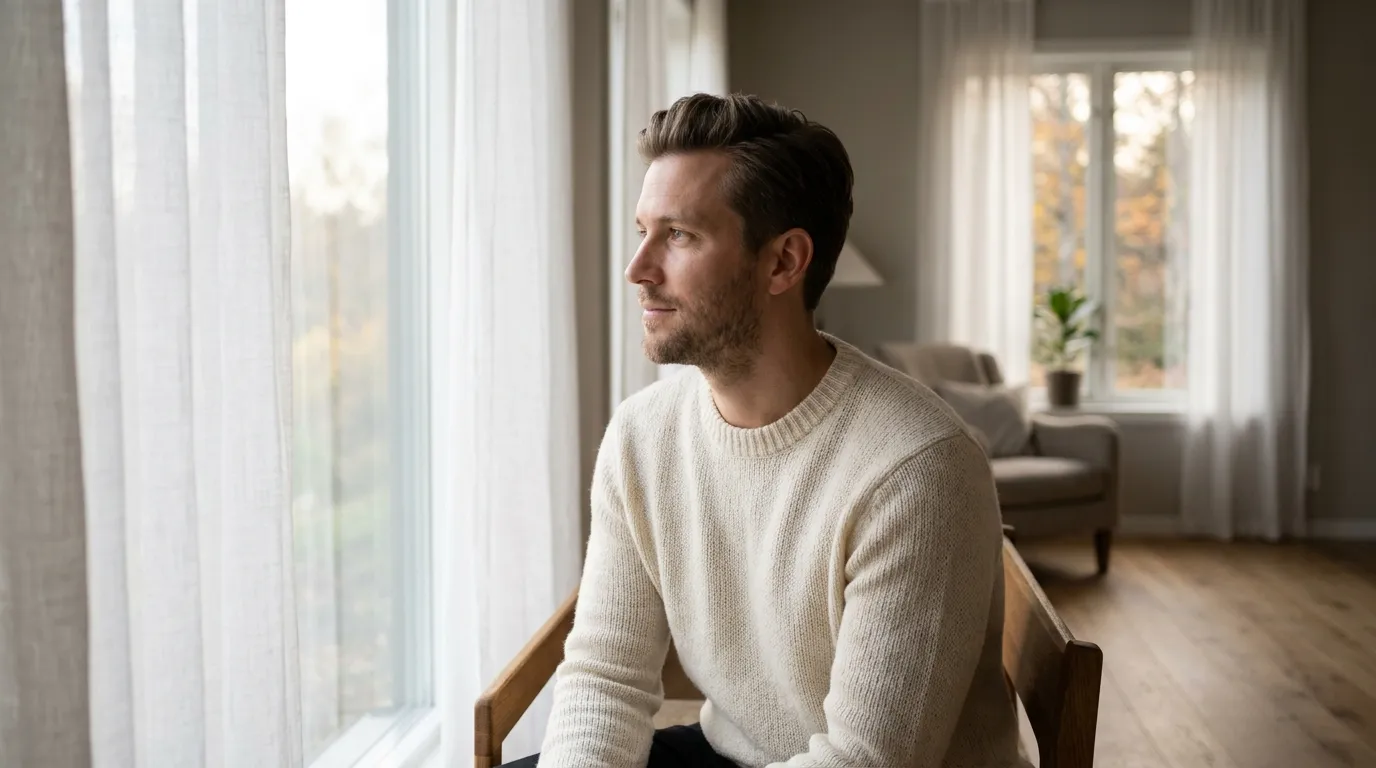
What a usable reference photo looks like, in one paragraph: sharp focus on the eyes, even skin lighting (natural window light is the easiest to hit), no sunglasses, no hats pulled low, no heavy filters, and enough resolution that you can see real skin texture. Use your phone's rear camera at 2x zoom instead of the front camera (most phone front cameras are 22 to 28mm equivalent, which stretches noses and narrows faces in close selfies). Prop the phone on a stack of books, use the timer, and shoot across two days in different light.
Your coverage list:
- 2 to 3 straight-on clear-face shots
- 2 to 3 three-quarter angle shots, head turned 30 to 45 degrees
- 2 to 3 natural expressions (closed-mouth smile, open laugh, thoughtful look)
- 2 body shots, half-body and full-body, so the model learns your proportions
- 2 different lighting situations, bright window and softer indoor
Zero-shot tools are the exception to the many-photos rule. Sozee's own comparison piece warns that uploading multiple photos to Sora-style single-reference models "often leads to confusion and mismatched features." But if you're using a tool that generates from one image, pick the single sharpest, most neutral-expression photo you have. One great one always beats ten mediocre ones in that workflow.
If you want to understand why your phone photos look off even before AI gets involved, I wrote the lens-physics version of this in Why You Look Bad in Photos.
Pick Scenes That Match the Life You Actually Lead
Here's the part most vendor tutorials skip. The AI can put you anywhere: rooftop bar in Lisbon, lake house dock, horse paddock, penthouse balcony. Picking scenes that fit a life you don't live is the single most common way AI dating profiles backfire. If you're a barista in Columbus, the photo of you in the Monaco yacht club is working against you, not for you.
The practitioner rule I like comes from the ActionPic guide to generative AI for online dating: 20% AI, 80% real. Your profile stays majority honest, and the AI fills in the specific gaps (better lighting, a scene or two you want but haven't had time to shoot). A match who clicks because of four honest photos and two enhanced ones is showing up to meet the same person. That's the goal.
Match the scene to the app. From running portrait shoots for clients with profiles on each:
- Hinge audiences respond to conversational, prompt-matching shots. Think: you reading a book at a café, you cooking something messy, you actually laughing at something off-camera. The app rewards specificity.
- Tinder audiences skim fast. Your first photo needs a clean, clearly-lit face with a genuine expression. Your second should do social proof, a trip, a hobby, a group shot where you're visibly the person.
- Bumble audiences skew slightly older and lean friendlier. Outdoor light and full-body shots that show energy tend to outperform static indoor headshots.
Write down three scenes where a close friend would actually photograph you. Not "ocean sunset yoga pose" if you've never done yoga. Boring and real will beat cinematic and invented nine times out of ten.
Trained Model or Zero-Shot? Pick One
The choice comes down to how many scenes you want and how patient you are.
Trained models learn your face from 6 to 20 reference photos, then generate in your likeness across any prompt you hand them. Cost: typically $29 to $49 for a commercial tool (Photo AI, Aragon, TinderProfile). Time: a few minutes of training, then each photo in 5 to 10 seconds. Output: 80 to 200 usable generations you pick from. If you want variety in outfits, scenes, and expressions, this is the right bucket.
Zero-shot models skip training. You give one reference photo and a scene prompt, and the system generates a single image in seconds. Cost: usually cheaper or freemium. Time: fast. Output: one image at a time. Trade-off: likeness drifts more because the model has less of you to learn from.
Local LoRA training is for engineers who want full control over the stack. Cory Zue's walkthrough runs 10 to 15 photos, 20 minutes of training on a cloud GPU (via Replicate), and costs around $2 end-to-end in under an hour. His hard-earned finding: adding age and gender to the prompt ("a 40 year old man standing at a coffee shop") produced "much closer" likeness than generic prompts. The more specific the prompt, the less the AI hallucinates.
A photographer charges $300 to $800 for a 20 to 40 photo dating session, per the TruShot 30-day field test that benchmarked eight AI tools against a traditional shoot. So unless you already have a photographer friend, the economics tilt hard toward AI. Just don't confuse the savings with a shortcut on effort. The reference photos and the audit still take an hour.
The 7-Point Realism Audit (Where Most People Lose)
This is the step almost no vendor tutorial covers, and it's the one that decides whether your AI photo works. Run every generated photo through these seven checks before anything goes on a profile. The yield is brutal: TruShot's 30-day field test found roughly 3 to 5 usable photos per 100 generated. Expect to throw most of them out.
- Hands. The AI hand problem is legendary. According to the AIorNot artifact catalog, common tells include extra or missing fingers, fingers merging, impossible joints, no defined knuckles, and the "impossible grip" where fingers wrap around an object without casting any shadow on it. If your generated photo shows you holding a coffee cup and the fingers don't shadow the cup, the photo is cooked.
- Hair. Real hair has flyaways, uneven parts, and small asymmetries. AI generates "perfect hair" that falls in identical strands or has a painted quality at the temples. If your photo looks like you just stepped out of a shampoo ad, that's a tell.
- Eyes. Check iris highlights in both eyes. If the reflection in one eye is shaped or placed differently than the other, the light sources in the scene don't match. Unnaturally symmetrical eyes are also a common AI signal, per the AI Face Swap image-tells guide. Your real eyes are slightly different.
- Shadows. Sunlight casts shadows in one direction. If the shadow on your face runs one way but the shadow on a nearby object runs another way, the scene is physically impossible. Check shadow direction on the ground, on your body, and on anything you're touching.
- Background lines. Door frames, window frames, and building edges should be ruler-straight. CanIPhish's image-detection guide calls warped background lines "a dead giveaway." Look at the edges of the frame, not the middle.
- Jewelry and accessories. Earrings that don't match each other, watch faces that melt into nonsense numerals, necklaces that vanish halfway across your chest. These are small details, but instantly recognizable once you know to zoom in.
- The friend test. Show the photo to a close friend or family member without saying it's AI. Ask: "Does this look like me?" The Narkis.ai 2026 ranking editorial puts the rule sharply: "Show them to a friend and ask: does this look like me? If there's any hesitation, skip that photo." TruShot's field-test editorial says the same thing more bluntly: "If your close friends can't recognize you, matches won't either."
My version of the test: any photo that doesn't survive a 2-second friend-glance stays offline.
The Disclosure Question
56% of U.S. singles treat AI-generated or heavily edited photos as a red flag, per the eJuiceDB survey cited above via Global Dating Insights. And 46% say the same about AI-written messages in the same study. So the instinct to disclose makes sense, and the apps themselves have opinions.
Hinge publishes an official AI Principles page. The load-bearing sentence: "If you decide to include generative AI images, audio, or video in your profile, it should not be used to misrepresent yourself or your intentions, per our Terms of Service and our Community Guidelines." Hinge's framing: "We believe that authenticity is critical to forming lasting, meaningful connections."
Bumble added a reporting option in July 2024 specifically for profiles suspected of using AI-generated photos or videos, per TechCrunch's coverage of the feature launch. Their broader Deception Detector (also launched 2024) reportedly blocked 95% of accounts identified as spam or scam, and member reports of fake profiles dropped 45%. The message from the apps is consistent: they allow enhancement, but they push back on replacement.
My practical take: the more the final photo actually looks like you, the less the disclosure question matters, because you're not misrepresenting anything. A zsky.ai editorial on this puts it well: "The sweet spot is using AI to present your authentic self in the best possible light, not to create a fictional version of yourself." If a match would recognize you at the coffee shop without a beat of hesitation, you're inside the line.
If there's any doubt, mention it. "First photo is a studio edit, the rest are phone pics" in a bio line burns zero match potential and heads off the awkward version of the question. The community consensus from cross-Reddit AI-photo threads, summarized in the Skilled Seducer compilation, lines up: use AI to enhance, not to change your face.
5 Mistakes That Waste the Whole Session
- Too few reference photos. The tool says "3 minimum" and you think "great, less work." Don't. Sozee lists three as the floor, but quality scales with your dataset. If you give a trained model four photos taken in one hallway, the model learns one hallway-shaped version of you. Shoot eight across two days at minimum.
- Including other people in your reference shots. Cory Zue's write-up flags this as a non-obvious failure mode: training on photos with multiple subjects causes "feature merging" between them. If your reference set includes you-and-your-roommate, the AI might give future-generated-you your roommate's jawline. Crop tight or pick single-subject photos only.
- Skipping age and gender in your prompts. From Zue's testing: adding "a 40 year old man" to the prompt was "much closer" to what he actually looks like. Generic prompts average the model toward generic faces. Prompts with your specifics pull the generation back toward you.
- Generating 500 and reviewing 20. You paid for the photos. Look at all of them. The best shot is usually not in the first batch. Give yourself an hour to sort, not ten minutes.
- Uploading without the audit. Every photo tool you already use gives you a zoom-in feature. Use it. I've written more about the specific dating-photo errors that kill match rates in Dating Photo Mistakes, and almost every item there gets worse when the underlying photo is AI-generated and nobody checked.
Quick Reference
| Do | Don't |
|---|---|
| Shoot 8 to 15 reference photos | Submit the minimum and hope |
| Mix natural light and varied angles | Shoot all references in one room |
| Use single-subject reference photos | Include friends, pets, or partners in references |
| Include age and gender in prompts | Leave the prompt generic |
| Audit every generation for hands, shadows, eyes | Trust the first batch |
| Blend AI photos with real ones (roughly 20/80) | Build a whole profile from AI |
| Pass the friend-recognition test | Upload anything you hesitate on |
How Dating Image Pro Fits in This Workflow
Dating Image Pro does the reference and style steps in one flow. Upload four selfies, pick a curated scene or reference photo, and generate dating-ready photos in minutes. It uses one-time photo credits with no subscription. The web or iPhone app handles generation, and you still run the seven-point audit above before publishing anything. That part isn't automatable, and any tool telling you it is should be treated with suspicion.
For the full side-by-side breakdown of AI dating-photo tools, including field-test match rates, see my colleague Jordan Taylor's review at AI Photo Apps for Dating. For the Dating Image Pro specifics on supported styles and input requirements, the AI photo generation feature page has the full list.
Questions, answered.
01How many reference photos do I actually need to generate dating photos with AI?+
Eight to 15 is the practical sweet spot. Technical minimums vary by tool: Sozee accepts 3, Aragon wants 6 to 8, Photo AI asks for 5 to 20, and TinderProfile.ai uses 5 to 15 across five photo categories. Photographer-trained LoRA jobs often use 20 to 40 images for strict photorealism. If you are using a zero-shot tool that only takes one image, use your sharpest, most neutral-expression photo.
02Can I just use one selfie for AI dating photos?+
Only with zero-shot tools like Sora-style models or single-image generators like Sozee. Sozee's own comparison piece warns that uploading multiple photos to single-reference models "often leads to confusion and mismatched features." Trained models (Photo AI, Aragon, TinderProfile, local LoRA) always need a multi-photo reference set to preserve your likeness across different generated scenes.
03How long does the full workflow take end to end?+
About 60 to 90 minutes of your time, usually spread across two days. Shooting 8 to 15 reference photos takes 30 minutes if you stage two different lighting setups. Training runs 1 minute with Photo AI or up to 20 minutes with a self-trained LoRA. Generating 60 to 200 candidates takes another 5 to 30 minutes. The realism audit and friend test takes roughly 30 minutes if you do it properly.
04What is the single biggest tell that a dating photo is AI-generated?+
Hands. Distorted fingers, impossible joints, and the "impossible grip" where fingers wrap around an object without casting any shadow on it are the most recognizable AI artifact, per the AIorNot artifact catalog. Warped straight lines in the background (door frames, window frames) come second, and CanIPhish's detection guide calls them "a dead giveaway." Check hands and background edges before anything else.
05Do I have to disclose that I used AI on my dating profile?+
No dating app strictly requires disclosure, but the social signal matters. 56% of U.S. singles treat AI-generated or heavily edited photos as a red flag (eJuiceDB / Global Dating Insights, February 2026). The cleanest approach is to make the final photos actually look like you, so there is no misrepresentation to disclose. If you have used AI to create a scene or expression you never actually had, a one-line mention in your bio like "first photo is AI-styled, rest are phone pics" preempts awkward questions.
06Are AI-generated photos allowed on Tinder, Hinge, and Bumble?+
Enhancement is allowed on all three. Fabrication that misrepresents you is not. Hinge's official AI Principles state generative AI "should not be used to misrepresent yourself or your intentions." Bumble added a reporting option in July 2024 for suspected AI-generated profile photos (per TechCrunch), and its broader Deception Detector reportedly blocked 95% of accounts identified as spam or scam in its launch period. The apps treat AI as a styling tool, not a disguise.
Author / reviewed profile
Maya Rodriguez
Maya is a professional portrait photographer with 12 years of experience. She's photographed everything from corporate headshots to dating profiles, and she knows exactly what makes a photo stand out.